Registering for NatureServe Explorer Pro also provides access to the NatureServe BLM Hub.
- Register for Explorer Pro with an email ending with
@blm.gov:
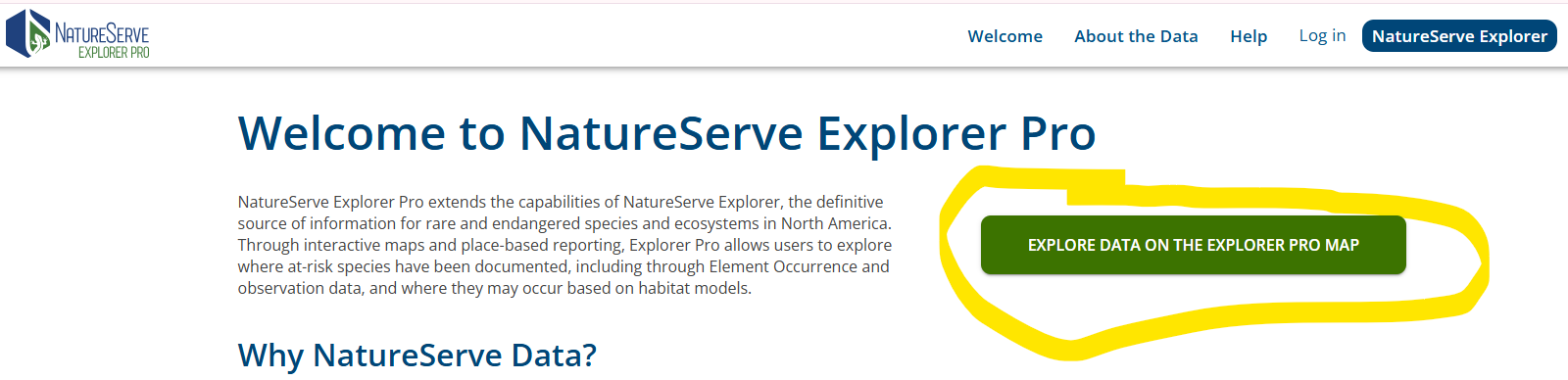
Create an account for NatureServe Explorer Pro:- Visit NatureServe Explorer Pro.
- On the Welcome page, click the button that says “EXPLORE DATA ON THE EXPLORER PRO MAP.”
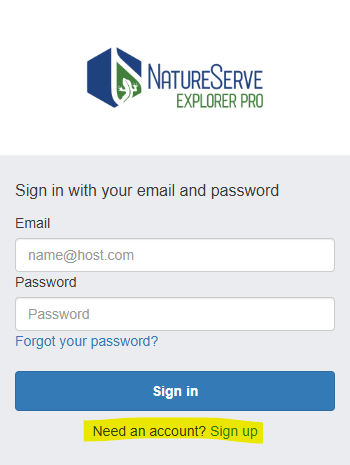
- On the next screen, next to Need an account?, click Sign up.
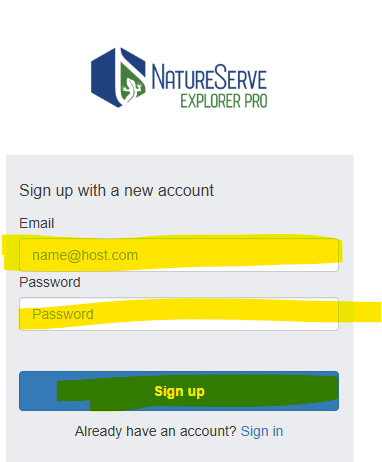
- Enter your email and create a password.
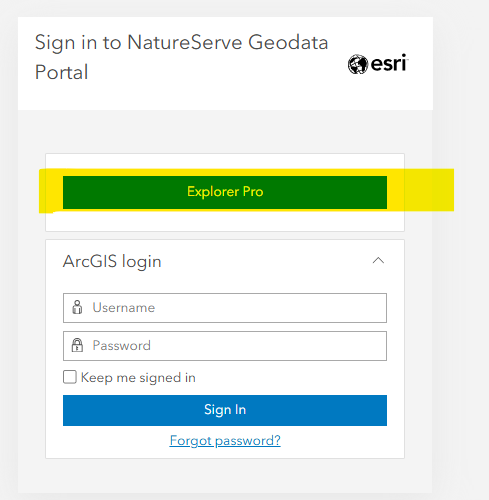
- Sign into Explorer Pro, making sure to click the Explorer Pro box, as highlighted in the screenshot below.
- Confirm your registration, via the verification email.
- You will automatically be granted membership to the NatureServe BLM Hub Content OIDC group and have access to the NatureServe BLM Hub.
Was this article helpful?
That’s Great!
Thank you for your feedback
Sorry! We couldn't be helpful
Thank you for your feedback
Feedback sent
We appreciate your effort and will try to fix the article